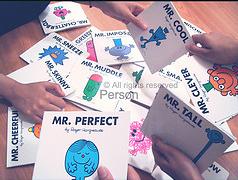
Is there such a thing as the “perfect blog post”? Probably not. Certainly I’ve seen great blog posts over the years, and I have even been lucky enough to have more than my share of blog posts that ended up being popular. I have news for you, though: a blog post does not have to “go viral” on some social network in order to be the “perfect blog post”. In this blog post, I’m going to tell you exactly how to write the perfect blog post. And you don’t to be an incredible writer to do it.

What Makes a Blog Post Perfect?
That is actually a great question. And honestly, it is something I have been thinking about for a long time.
For at least a year I kept telling myself that I should write a post about the perfect blog post. Every blogger talks about it. Every marketing guide claims to know the formula. But most of those explanations miss the point.
After writing hundreds of blog posts over the years, I finally realized something important.
The perfect blog post has very little to do with the topic.
Sure, the topic can help. Breaking news helps. A controversial opinion can help. Writing about a popular subject certainly does not hurt. But none of those things automatically make a blog post successful.
What actually makes a blog post work is how it is written and how it is structured.
Formatting matters. Flow matters. The order of the content matters.
If you follow a few simple principles, you do not have to be a brilliant writer to publish a blog post that people actually read. In fact, when done correctly, your post may even spread widely across social media.
And even if it never “goes viral,” readers will still spend more time on your site and actually read the content rather than skimming the headline and leaving.
So let’s talk about how to write what I consider the perfect blog post.
So How Do You Write the Perfect Blog Post?
The good news is that the process is simpler than most people think.
Every effective blog post tends to follow the same basic pattern. There are certain elements that you should include every single time. There is also an order that works well for readers.
Once you understand that structure, writing becomes much easier.
Start With Research
Before writing a single word, spend a few minutes doing research.
Google is your best friend here.
Decide what you want to write about and search for information related to the topic. If the blog post involves a company, look up the company name. Visit their website. Read their “About Us” page. Look for background details that help explain who they are and what they do.
You may discover useful information such as:
-
When the company was founded
-
Who the leadership team is
-
What products or services they offer
-
Where they are located
-
Recent announcements or news
If the post is about an organization, product, or new technology, the same approach applies. Gather enough information so that your article actually teaches the reader something.
Good blog posts almost always include facts and context, not just opinions.
A few minutes of research can dramatically improve the quality of your writing.
Start Writing and Hook the Reader Immediately
Once you have the information you need, stop researching and start writing.
The first paragraph is the most important part of the entire post.
You need to capture the reader’s attention quickly. If the opening paragraph is boring, most visitors will simply leave.
One effective technique is to ask a question.
Another option is to make a bold statement. Sometimes a little sarcasm or humor works well. The goal is to make the reader curious enough to keep going.
But there is one rule I always follow when writing.
Tell the reader what you are going to tell them.
That may sound simple, but it works incredibly well.
For example, in this post I opened by explaining that I was going to share my approach to writing the perfect blog post. Right away, the reader knows what they will learn.
Clarity keeps people reading.
Include a Photo or Graphic Near the Top
One mistake many bloggers make is publishing long blocks of text without any visuals.
That is a problem.
Most readers decide within just a few seconds whether they want to stay on a page. If all they see is a wall of text, many will simply leave.
That is why I always recommend including a photo, graphic, or screenshot near the top of the post.
This is often called placing the image “above the fold.” In other words, the reader should be able to see the image without scrolling.
The graphic does not have to be complicated. It could be:
-
A company logo
-
A screenshot of a website
-
A chart or data graphic
-
A funny image related to the topic
-
A product photo
Screenshots are especially useful because they quickly show readers what you are talking about.
Over time I have also noticed something interesting. Posts that include images often perform better in search results and receive more engagement from readers.
Visuals help break up the content and keep readers interested.
Whenever possible, I like to include two or more images throughout a blog post rather than just one.
Deliver the Main Content
Now it is time to do what you promised the reader.
Earlier in the post you told them what you were going to tell them. This section is where you actually explain it.
This could take many different forms depending on the topic. For example:
-
A list of tips or recommendations
-
A review of a product or service
-
An explanation of a new technology
-
A commentary on a news event
-
A tutorial or step-by-step guide
Whatever format you choose, this section should include the insights you gathered during your research.
Give readers information that they did not know before. Provide examples. Explain the topic clearly.
The best blog posts make readers feel like they learned something valuable.
Include Outgoing Links
One habit I strongly encourage is linking to other websites when appropriate.
Some bloggers avoid linking out because they believe it will hurt their search rankings. In my experience, that concern is overblown.
If you are referencing a company, link to their website.
If you are discussing a concept or term, link to a helpful explanation.
If you cite a source of information, provide the link.
Readers appreciate the ability to explore the topic further. Linking to trusted sources also adds credibility to your content.
When I am unsure where to link, I often link to the relevant page on Wikipedia. It is usually a reliable source for basic background information.
The key point is simple.
Do not be afraid to link to other websites.
It helps your readers, and it strengthens your content.
Wrap Everything Up
Every good blog post needs a strong conclusion.
Think of it as putting a ribbon on a gift.
You have already delivered the main information, but the final section helps reinforce the message and leaves the reader with a clear takeaway.
A good closing section should do a few things:
-
Summarize the key points of the article
-
Remind readers what they learned
-
Encourage them to take the next step
That next step might be reading another post, visiting a website you mentioned, or sharing the article with others.
The goal is to leave the reader feeling that the time they spent reading your post was worthwhile.
The Simple Formula Behind a Great Blog Post
There are many different opinions about what makes a blog post successful. Ask ten bloggers and you will probably get ten different answers.
But after years of writing and publishing content online, I have found that one simple formula works remarkably well.
First, tell readers what you are going to tell them.
Then tell them.
Finally, tell them what you told them.
Combine that structure with a few images, some helpful links, and solid research, and you will consistently produce blog posts that people actually want to read.
And that, in my opinion, is the closest thing you will find to the perfect blog post.